Content automation workflows: idea → script → video → publish → analytics
- content automation workflow
- ai content pipeline
- automate content creation
- idea to publish
- content workflow steps
- automation
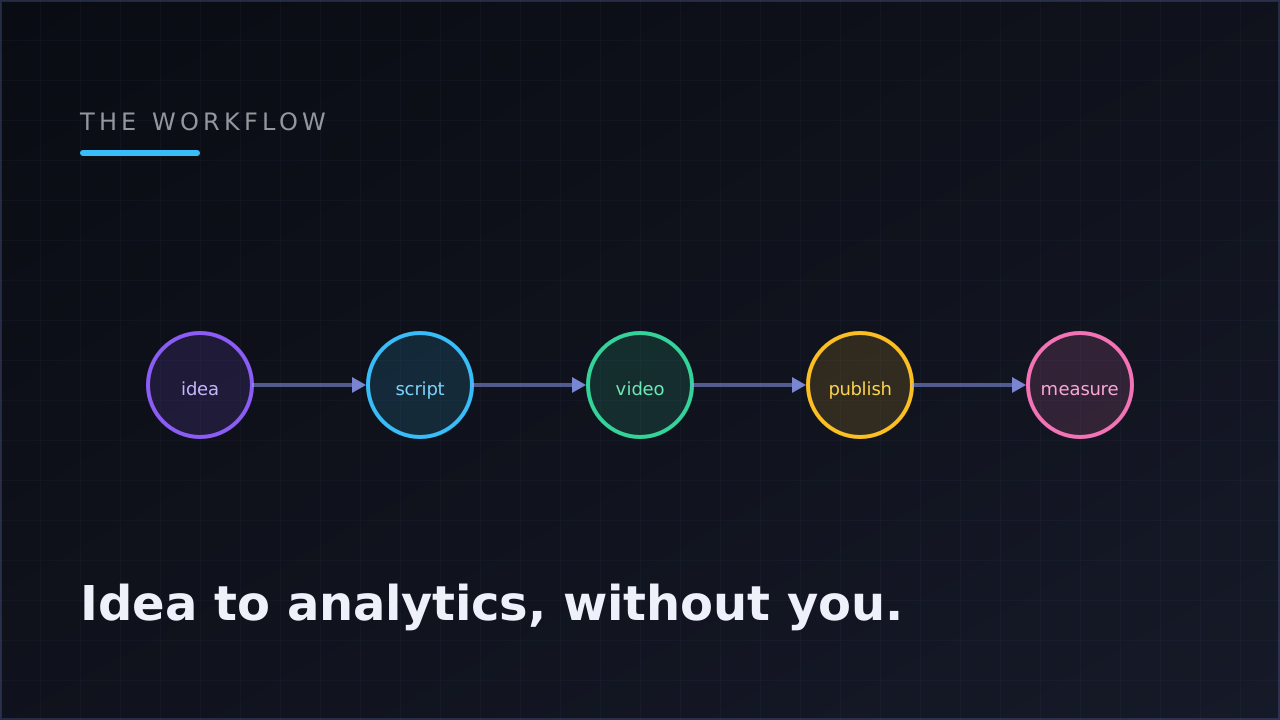
A content automation workflow is the chain of steps that turns an idea into a published, measured post without manual work at each stage: idea → script → voiceover → visuals → captions → render → native publish → analytics. The workflow is only as strong as its weakest handoff — most break at publishing or never close the loop at measurement.
This post walks the entire chain, stage by stage, with the failure modes each one has to survive. If you've read the create → publish → measure loop, that's the strategy; this is the plumbing.
What counts as a content automation workflow (and what doesn't)
A queue of posts you wrote by hand is not a workflow — it's inventory. A real workflow keeps producing after you stop pushing. The test is simple: if you went offline for two weeks, would the account keep publishing on schedule, and would you come back to performance data that tells you what to make next?
To pass that test, every stage below has to run without you. Miss one and the whole chain re-acquires a human bottleneck — usually you, at 11 p.m., fixing the same step for the fortieth time.
Stage 1: idea — the template, not the brainstorm
The naive version of automated ideation is "ask an AI for video ideas." The durable version is a template: a fixed recipe (format, tone, visual style, voice, caption treatment) with slots for what varies per episode — the topic, the hook, the script.
The template does two jobs. Creatively, it keeps episode forty recognizably the same show as episode one; channels drift off-brand when every video is improvised from scratch. Operationally, it's the unit everything downstream attaches to: the scheduler runs templates, and analytics attribute performance to templates. Skip the template layer and you lose both consistency and attribution.
Stage 2: script — where quality is decided
Everything downstream renders whatever the script says, so this is the stage that decides whether the output is watchable. A script prompt worth keeping specifies tone, structure ("hook in the first line, one idea per scene, hard cut at the end"), and what scene hints to produce for the visual stage.
Two practical rules. First, shorter scripts are a compound discount — fewer voice characters, fewer scenes, less render time, and better completion rates on short-form. Second, invest in the prompt, not in editing individual scripts. Fixing a pacing problem in the template's script prompt fixes every future episode; fixing it in one script fixes one.
Stage 3: voice — the human layer without the human
Modern AI voiceover is good enough that voice choice is now a branding decision rather than a quality compromise. The technical detail that matters for the rest of the pipeline is word-level timing: the voiceover stage should emit not just audio but timestamps for every word, because that's what makes the caption stage's word-by-word animation possible.
The workflow implication: voice and captions are one integrated handoff, not two independent steps. Bolting a captioning tool onto a voiceover tool from a different vendor is where DIY pipelines most often produce subtly out-of-sync results.
Stage 4: visuals — pick the cost/effort curve per niche
Three visual strategies cover nearly every faceless format, and choosing among them is a per-template decision:
- Portrait stock footage — fast, cheap at volume, right for motivation/lifestyle/talking topics.
- AI-generated images with motion (Ken Burns-style pans) — distinctive, more expensive per video, right for facts/history/story niches where custom imagery carries the format.
- Library loops — near-zero marginal cost, right for ambient and meditation formats.
The visual stage is also the biggest lever on your cost per video — what AI faceless content actually costs breaks down how each style changes the math.
Stage 5: captions and render — the finish line that eats retries
Captions are not decoration on short-form: a large share of viewing happens muted, and word-by-word animated captions synced to the voice are the standard the big accounts set. With word timings from stage 3, this stage is mechanical.
The render assembles everything into the deliverable — a vertical 1080×1920 MP4 with music. The engineering property to demand here is per-stage progress and resume: when a render fails at the caption stage, a good pipeline restarts from captions, not from the script. Over a month of daily posting, resume-from-failed-stage is the difference between a hiccup and a doubled bill.
Stage 6: publish — the stage that touches your account
Everything before this point risks money. Publishing risks the account. The requirements:
- Native uploads via official APIs, authorized with OAuth — never a bot with your password, never a re-uploader adding watermarks. (Why this is the line between allowed and bannable: is automating TikTok or YouTube against the rules?)
- Per-platform independence. One video to TikTok, YouTube Shorts and Instagram is three separate attempts; Instagram failing must not block TikTok.
- Readable failures and retries. "Reconnect TikTok" beats a silent drop; a failed target retries without re-publishing the others.
- Idempotency. A retried publish can never double-post.
- AI-written platform metadata. The caption that works on TikTok is not a YouTube title; the workflow should write platform-appropriate text per target automatically.
Scheduling wraps the publish stage: a cadence (daily, every N days, weekly) at a set time in your audience's timezone, with concurrency caps so a configuration mistake delays posts instead of stacking renders.
Stage 7: analytics — the stage that makes it a loop
Most workflows stop at publish, which means their operators are flying a full production line with no instruments. The last stage collects views, likes, comments and shares from each platform's official API — hourly, per post — and rolls them up: per-post time series, side-by-side comparisons, lifetime totals, a 30-day per-platform trend, and the one that changes behavior: best-performing template.
That signal closes the loop. Because every post traces back to the template that produced it, the workflow can tell you which recipe earns its cadence and which is burning budget. Next week's production decision stops being a guess.
The full chain at a glance
| Stage | Input | Output | Breaks when… |
|---|---|---|---|
| Idea/template | Niche + format decision | Reusable recipe with per-episode slots | Every video is improvised |
| Script | Topic + script prompt | Scene-by-scene script | Prompt underspecified; scripts flabby |
| Voice | Script | Audio + word-level timings | Timings missing → captions drift |
| Visuals | Scene hints | Footage/images/loops per scene | Style mismatched to niche or budget |
| Captions + render | All of the above | 1080×1920 MP4 with music | No resume → full re-renders |
| Publish | Finished video + accounts | Native posts per platform | Password bots, silent failures, double-posts |
| Analytics | Published posts | Per-post metrics + template signal | Loop never closes; no attribution |
Print this table. Every "automation" tool you evaluate automates some subset of these rows; the question is always which rows are left as your job.
Assembling it: buy the chain or wire it yourself
You can build this workflow from parts — a script model, a voice API, a stock-footage source, a captioning step, a publishing tool, an analytics collector — glued together with automation software. It works, and for unusual formats it's the only way. The costs are the seams: every handoff between vendors is a place where timings drift, failures go silent, and you become the integration engineer.
The alternative is a system where the chain is already wired — template through analytics in one place. That's what Klipsy is: the Studio runs stages 2–5 with per-stage progress and cost estimates, the automation canvas wires template → scheduler → accounts, publishing is native to TikTok, YouTube Shorts, Instagram and X, and the dashboard closes the loop down to the best-performing template. The block-by-block anatomy of a running automation — and the seams it has to handle — is covered in anatomy of a video automation.
Either way, judge the workflow by the same standard: every stage runs without you, failures surface with reasons, and the loop closes.
FAQ
What is a content automation workflow?
The end-to-end chain that turns an idea into a published, measured post without manual steps: template → script → voiceover → visuals → captions → render → native publish → analytics. If any stage needs you every time, that stage is the bottleneck the rest of the chain waits on.
Which stage of content automation should I set up first?
The template. It defines the recipe every other stage executes, keeps output on-brand at volume, and is the unit analytics attribute performance to. A workflow without a template layer produces content you can't learn from.
Can I automate content creation without automating publishing?
You can, but you inherit the riskiest stage as a manual job — and manual publishing is where consistency dies. The safer order is the reverse: automate native publishing early (via official APIs), keep review mode on, and hand-approve generated drafts until you trust the template.
How do I know if my workflow is actually working?
Close the loop: collect views, likes, comments and shares per post and attribute them to templates. One number — best-performing template — answers "what should I make more of." Workflows that stop at publishing can't answer that question at all.
How long does it take to set up an automated content workflow?
With an integrated system: connect accounts via OAuth, configure one template, set a cadence — an afternoon, then a week or two of reviewing drafts while you calibrate the template. Wiring the same chain from separate tools typically takes days and leaves you maintaining every seam yourself.